How to install fonts into Phonto
Android
NOTE: Don’t forget to check out font license before installing.
It’s easy to install fonts into Phonto.
Follow 2 steps below.
- Download font files from web sites.
- Open font file in Phonto.
You can find tons of cool and unique fonts online.
Open Chrome and search “FREE FONTS”.

In a font site, choose a font and press Download button.
Downloaded files can be found in Files app.
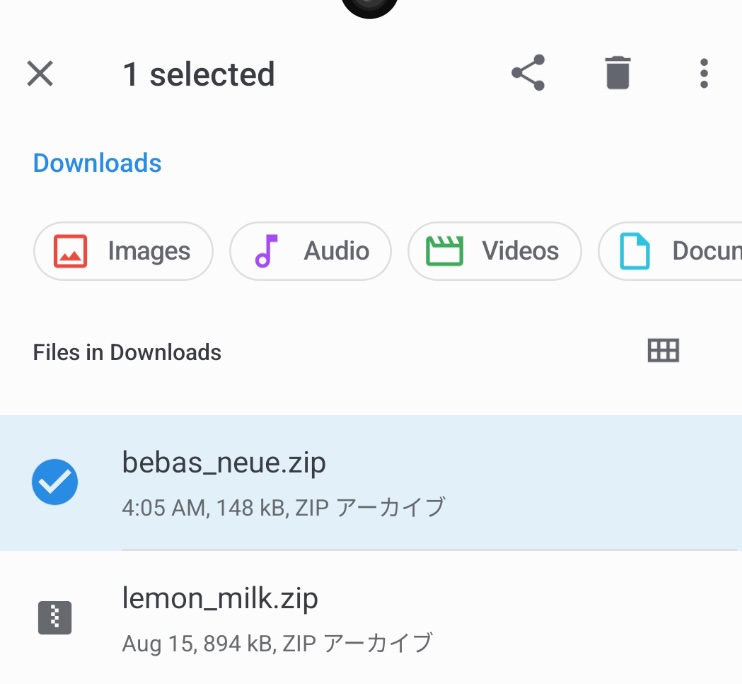
Open Files app. Long press the font file, then press share icon on the upper right corner.
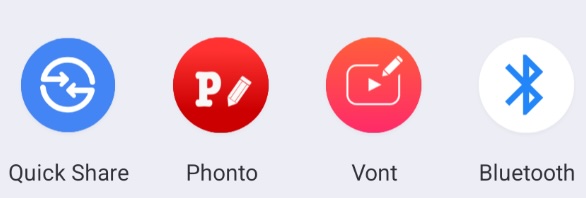
Choose Phonto.

Press Install button. You can find the installed font in My Fonts section.